A Principled Technologies report: In-depth research. Real-world value.
Accelerate your AI journey while reducing project costs with a validated Dell AI Factory with NVIDIA solution, utilizing Red Hat OpenShift
Our research shows that an on-premises Dell AI Factory with NVIDIA solution, utilizing Red Hat OpenShift delivers a significantly lower 5-year TCO than a comparable AWS SageMaker cloud solution
What is the main challenge stopping your organization from leveraging new AI technologies to advance business goals? A common answer is budget concerns. Many organizations deploy AI to the cloud for flexibility, only to find that unexpected additional costs and cloud AI sprawl bring their projects to a halt. Another challenge is selecting the “right” solution with tools that can speed the AI development and deployment process while meeting performance and security demands.
To help businesses meet these challenges, you can avoid the cloud and deploy on premises with validated solutions from the Dell AI Factory—which, according to Dell research—offers the world’s broadest end-to-end portfolio of technology and services to support AI innovation.1 We examined the estimated five-year costs of an on-premises Dell™ AI Factory with NVIDIA solution using PowerEdge™ XE9680 and PowerEdge R660 hardware and Red Hat OpenShift. This Dell AI Factory solution has two payment options: a traditional capital expenditure (CAPEX) model and a managed, subscription-based option transacting through APEX Infrastructure. We compared these pricing options against a similar cloud offering from Amazon Web Services (AWS) SageMaker.
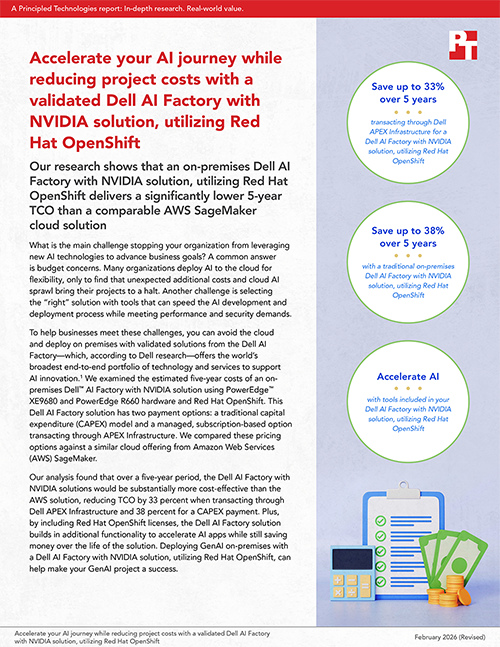
Our analysis found that over a five-year period, the Dell AI Factory with NVIDIA solutions would be substantially more cost-effective than the AWS solution, reducing TCO by 33 percent when transacting through Dell APEX Infrastructure and 38 percent for a CAPEX payment. Plus, by including Red Hat OpenShift licenses, the Dell AI Factory solution builds in additional functionality to accelerate AI apps while still saving money over the life of the solution. Deploying GenAI on-premises with a Dell AI Factory with NVIDIA solution, utilizing Red Hat OpenShift, can help make your GenAI project a success.
Save up to 38% over 5 years with a Dell AI Factory with NVIDIA solution, utilizing Red Hat OpenShift
Figure 1 shows that the Dell AI Factory with NVIDIA solution, utilizing Red Hat OpenShift, costs significantly less than a similar AWS SageMaker solution, whether you choose to pay up-front in a traditional CAPEX model or transact through APEX Infrastructure. When transacting through APEX Infrastructure, you can pay less from day 1 and continue lower payments over the life of the solution. Choosing a traditional CAPEX model means one large investment upfront with incremental yearly costs for standard operating expenses.
Figure 2 shows the pro-rated costs over 5 years for the AWS SageMaker solution and the same Dell AI Factory with NVIDIA solution, utilizing Red Hat OpenShift priced two ways (traditional CAPEX and transacting through APEX Infrastructure).
Total costs over 5 years for the three solutions we priced. Source: PT.
Pro-rated costs over 5 years for the three solutions we priced. Note: For all solutions, a 5-year commitment is required, and payment cannot stop until the complete term. Source: PT.
TCO scenario and solutions overview
To provide an idea of how much these AI solutions cost, we created an AI scenario using the open-source Llama 3 8B model and compared the cost to run the workload in four different environments. Our scenario included four specific tasks in a GenAI workload: data scientist coding and machine learning development work, data processing tasks, model fine-tuning tasks, and inferencing tasks. These tasks would combine to keep the model accurate and up-to-date with the latest company-generated data to provide optimal model outputs. Table 1 shows the high-level specifications of the four environments we researched. Note: We completed all initial research and pricing on August 27, 2025. Prices are subject to change after these dates.
Table 1: Solution details for the TCO comparison.
Task
Server/instance
GPUs per server/instance
Additional specifications
On-premises Dell AI Factory with NVIDIA solution, utilizing Red Hat OpenShift
7TB EBS storage per month for ml.r5.16xlarge instances and 1TB in and 15TB out S3 data transfer
Notebooks
20x ml.t3.medium
N/A
Data processing
2x ml.r5.16xlarge
N/A
Model fine-tuning
ml.p5en.48xlarge
8x NVIDIA H200
Inference
ml.p5en.48xlarge
Please note that this study uses pricing for NVIDIA H200 GPUs. For exact specifications of the solutions we compared, see the science behind the report.
For this analysis, we tried to create a broadly applicable example scenario to estimate cost differences across environments. We chose the Llama 3 8B GenAI model because it is a widely available, open-source model. We included costs for data scientists’ machine learning development notebooks, data processing tasks, continuous model fine-tuning, and real-time inference. We did not include costs for storage beyond that which the servers or instances needed to do their tasks.
For the on-premises Dell AI Factory with NVIDIA solutions, we assumed the development notebooks and cluster management tasks would take place on the Dell PowerEdge R660 cluster, while the processing, fine-tuning, and inference tasks would take place on the Dell PowerEdge XE9680 cluster.
For the AWS cloud solution, we chose instances to fit a task’s needs; notebook instances were very small, while we gave processing instances significant memory. Because the public cloud services spin up a new instance for each task, each of these tasks would have a dedicated eight-GPU instance for its run duration. Thus, we calculated the number of tasks the PowerEdge XE9680 servers could perform while maintaining the same GPU-per-task ratio. We also added an estimate for the costs of data transfer to and from AWS object storage to account for the cost of moving data through the cloud. Note that we chose AWS SageMaker to compare as AWS claims it’s a “center for all your data, analytics, and AI,”2 but we did not attempt to feature match all the various offerings provided by NVIDIA AI Enterprise and OpenShift. Depending on which tools and offerings you use for your AI workload, the AWS solution costs may vary while you will get the entire suite of NVIDIA AI Enterprise software with Dell.
General TCO assumptions
To account for varying business realities and make a fair comparison, we made the following assumptions:
All costs exclude taxes, as specific rates vary by geographic location.
We exclude management costs for the cloud solution. For the on-premises solutions, we factor in ongoing system administration costs to maintain the hardware and support the data scientists.
For the on-premises solutions, we consider costs for physical data center space and power and cooling.
For the Dell AI Factory CAPEX purchase, we excluded any working cost of capital/depreciation calculations.
According to Dell, “The Dell AI Factory with NVIDIA speeds AI adoption by delivering integrated Dell and NVIDIA® capabilities to accelerate your AI-powered use cases, integrate your data and workflows and enable you to design your own AI journey for repeatable, scalable outcomes.”3
The Dell AI Factory with NVIDIA provides a wide range of options to meet modern enterprise needs, including the option to transact with Dell APEX Infrastructure, making it a valuable framework for companies seeking to leverage AI to transform their data into positive business outcomes.
By combining AI infrastructure featuring Dell PowerEdge servers with NVIDIA technologies and Dell Technologies managed service offerings, Dell AI Factory with NVIDIA can provide a tailored AI solution to meet an organization’s specific needs.
Comparing costs for hosting on-premises with a Dell AI Factory with NVIDIA solution, utilizing Red Hat OpenShift vs. an AWS SageMaker cloud solution
Assumptions for Dell AI Factory solution pricing
We assume there are 22 workdays in each month, with workloads set to run for 24 hours to maximize usage.
Thus, each server offers 528 hours of runtime per month.
Data processing tasks can run the full 528 hours x two Dell PowerEdge XE9680 servers = 1,056 hours runtime.
Twenty data analysts work 8 hours a day for 22 days a month for a total of 3,520 hours.
For our cost comparison, we followed the assumptions above. Since the processing tasks use CPU and memory, we host them for the full 1,056 server uptime hours on the PowerEdge XE9680 servers. We split the model fine-tuning and inferencing tasks between the two servers with the assumption that the workload would require more fine-tuning time than inferencing time. Thus, we calculated 792 hours per month spent on fine-tuning tasks and 264 hours per month on inferencing tasks.
Finally, for the 20 data scientists’ notebook usage, we assumed each had a typical 8-hour workday for 5 days a week, totaling 3,520 hours per month. The number of data scientists your company employs to maintain and fine-tune your model will depend on several factors, such as how many different ways you want to interpret your data set or how many applications your data set feeds. We chose a number on the higher end of the scale to represent an up-to cost that would apply to many companies. Since these instances in the public cloud are very small and cost very little relative to the solution as a whole, the number of data scientists will not have a large impact on the total cost of our solution. Using these uptime calculations, we were able to plug in the number of hours each instance type would run per month on the two cloud solutions. For the final total costs of all solutions, see the science behind the report.
Pricing details for the on-premises Dell AI Factory with NVIDIA solution, utilizing Red Hat OpenShift
Dell provided a quote using the Dell Recommended Price for the Dell AI Factory with NVIDIA solution, utilizing Red Hat OpenShift. This quote included the cost of servers and switches, ProDeploy Plus for on-site installation services for the servers, Red Hat OpenShift licenses, NVIDIA AI Enterprise licenses, and a 5-year ProSupport for Infrastructure plan to provide support and maintenance services for the gear. We then calculated the power and cooling energy costs and data center rack space costs for a period of 5 years, as well as the administrative costs for maintaining the gear for 5 years.
Pricing details for the AWS SageMaker cloud solution
AWS breaks down its SageMaker service into several subservices covering tasks such as processing and training as well as data scientists’ notebooks. Note that while we are fine-tuning a pre-trained model, the AWS SageMaker subservice is called SageMaker Training. To obtain SageMaker pricing, we used the AWS Pricing Calculator and the Machine Learning Savings Plans calculator.4,5 For our TCO, we priced instances for notebooks, processing, model fine-tuning, and inference as follows:
Table 2: AWS SageMaker environment instances and run time hours per month.
Task
Server/instance
GPUs per server/instance
Additional purchases
ml.t3.medium
20
Data scientist notebook
176
ml.r5.16xlarge
2
Data processing
1,056
ml.p5en.48xlarge
1
Model fine-tuning
792
ml.p5en.48xlarge
1
Inferencing
264
Assumptions for AWS SageMaker pricing
We chose two ml.r5.16xlarge instances for data processing to ensure at least 1 TB of memory per task based on research that indicated processing tasks are memory intensive.6,7
We added 3.5 TB per month of EBS storage to each ml.r5.16xlarge instances because these instances do not come with disks.
While we didn’t estimate the costs of the storage hosting the main dataset, we did estimate S3 data transfer costs for 1 TB in and 15 TB out per month to account for the subsets of data the training and inference tasks would be using.
The ml.p5en.48.large instances came equipped with direct-attached NVMe storage, so we did not add EBS storage for those instances.
AWS offers both on-demand pricing and SageMaker savings plans. On-demand pricing is the most expensive, while the savings plans offer reduced costs with multi-year commitments. In addition, AWS offers customers the option to pay costs upfront for a greater cost reduction, which we chose to do for our TCO calculations. Note that we priced our AWS solution in the US East (Ohio) region, and that pricing may vary by region. (For an alternate look at AWS pricing, we also calculated 5-year costs using 3 years at the 3-year commitment price plus 2 years at the 1-year commitment price instead of prorating two 3-year terms. AWS does not have pricing for a 5-year commitment. See the science report for these additional results.)
Save with a traditional on-premises Dell AI Factory with NVIDIA solution, utilizing Red Hat OpenShift, compared to AWS SageMaker
Our calculations for a 5-year TCO comparison show that choosing the on-premises Dell AI Factory with NVIDIA solution with an up-front CAPEX payment to run GenAI workloads could offer significant savings compared to running the same workload on AWS SageMaker.
As Figure 3 shows, we calculated that the on-premises Dell AI Factory with NVIDIA solution, utilizing Red Hat OpenShift, would cost 38 percent less than a similar AWS SageMaker solution. Users can assume that they would break even at around 3 years with an on-premises Dell AI Factory with NVIDIA solution compared to the cost of AWS hosting.
Relative costs of a traditional Dell AI Factory with NVIDIA solution, utilizing Red Hat OpenShift (CAPEX) and an AWS SageMaker solution over 5 years. Source: PT.
Save by transacting with managed Dell APEX Infrastructure
In addition to a traditional CAPEX payment where you pay for the solution outright, Dell offers managed Dell APEX Infrastructure, which allows you to pay for resources in a subscription over time. Dell installs the hardware in your organization’s data center, so it remains on premises like the traditional solution, and offers a 3-, 4-, or 5-year commitment for compute resources at a specified consumption rate for a consistent monthly payment. If you need more than your committed consumption level, you can tap into the remaining resources for an additional cost. When your subscription ends, you can cancel the service and return the hardware, renew your contract for the same solution, or switch to a solution that better fits your needs at the time.8
For our TCO comparison, we received a quote from Dell Technologies for the same hardware we included in our CAPEX on-premises Dell AI Factory with NVIDIA solution, utilizing Red Hat OpenShift, but also adding a 5-year subscription to Dell APEX Infrastructure at a 75 percent guaranteed consumption rate. The Dell APEX Infrastructure consumption rates for servers are based on the amount of time a server spends at greater than 5 percent CPU activity in a month.
We found that Dell APEX Infrastructure, which combines the security and control advantages of a traditional on-premises solution with the convenience and flexibility of a managed service, could save organizations a significant amount over 5 years, compared to the AWS cloud solution that we priced.
Assumptions for transacting with Dell APEX Infrastructure
Roughly 726 hours per month with a 75 percent guaranteed consumption rate = maximum of 544.5 hours of server time per month before needing additional resources. For consistency with the other calculations, we used 528 hours per month.
The quote also included ProDeploy Plus and ProSupport Next-Business Day plans, so we did not include admin costs for initial setup.
We included the same power and cooling and data center rack space costs as our traditional solution.
As Figure 4 shows, transacting with APEX Infrastructure for a Dell AI Factory with NVIDIA solution, utilizing Red Hat OpenShift, costs 33 percent less than the AWS SageMaker solution. With Dell APEX Infrastructure, you can pay less starting on day one and ultimately spend significantly less over 5 years.
Relative costs of an on-premises Dell AI Factory with NVIDIA solution, utilizing Red Hat OpenShift, transacting through Dell APEX Infrastructure vs. an AWS SageMaker solution over 5 years. Source: PT.
Other strategic reasons for keeping GenAI workloads on premises
In addition to keeping costs predictable instead of varying month-to-month based on token rates and other hidden concerns, keeping GenAI workloads on premises can also help mitigate security risks. Potential risks of the cloud include:
Exposing data to public interfaces that attackers might access. For example, CrowdStrike discovered one such vulnerability that allowed them to find AWS S3 buckets based on DNS requests.9
Magnifying human error when using cloud-based APIs that could expose sensitive data.10
Less control over the underlying infrastructure and implementation.11Users running LLMs locally have more control over the entire stack, from the hardware the LLM runs on to the model and data enabling the solution. Admins can use additional training to ensure that local LLMs comply with specific regulations.
High costs and bandwidth demands to migrate data to the cloud. LLM applications need significant data storage and transfer. Training requires large datasets, which must be stored and moved between resources.
Choosing to keep GenAI on premises on a validated solution from Dell and Red Hat can help organizations accelerate their time to value, as a recent blog notes: “[T]his joint solution harnesses extensive engineering collaboration to enable simpler deployment, streamlined operations and most optimized outcomes. Further, single-point procurement through Dell and the collaborative support experience with Red Hat provides peace of mind.”12
About Red Hat OpenShift Container Platform
Our Dell AI Factory with NVIDIA solution leverages Red Hat OpenShift Container Platform, a platform for hosting containerized applications in hybrid cloud environments. Red Hat OpenShift can help enterprises operationalize their AI workloads at scale, offering:
Trusted operating environment: As a leading data center platform for cloud-native apps, many data center admins already have familiarity with OpenShift tools, potentially reducing the learning curve for orgs embarking on AI.13
Scaling on demand: Self-service scaling for approved services and infrastructure. According to Red Hat, “Applications running on OpenShift Container Platform can scale to thousands of instances across hundreds of nodes in second.”14
Management and monitoring tools: Red Hat OpenShift offers a single console for admins to implement and enforce policies across clusters, and “includes Prometheus, the standard for cloud-native cluster and application monitoring. Use Grafana dashboards for visualization.”15 This extensive toolkit with automation features can help reduce management overhead.
Hardening to bolster security: Red Hat OpenShift Container Platform can be hardened, and offers a RHEL 9 Security Hardening Guide “to learn how to approach cryptography, evaluate vulnerabilities, and assess threats to various services. Likewise, you can learn how to scan for compliance standards, check file integrity, perform auditing, and encrypt storage devices.”16
Organizations looking to advance their AI initiatives can face significant challenges around cost management, solution selection, and operational efficiency. The on-premises Dell AI Factory with NVIDIA solution utilizing Red Hat OpenShift addresses these concerns by offering a cost-effective infrastructure for GenAI. Additionally, the trusted Red Hat OpenShift Container Platform provides a platform for cloud-native apps that integrates with Dell and NVIDIA hardware to help organizations start transforming business operations quickly. Our research shows that the Dell AI Factory with NVIDIA solution—either purchased upfront or transacting through Dell APEX Infrastructure—can save organizations up to 38 percent over hosting on AWS SageMaker. With a solution from the Dell AI Factory, businesses can accelerate AI innovation, reduce long-term expenses compared to leading cloud alternatives, and deploy advanced AI workloads with confidence—all while maintaining control over their infrastructure and data.
This project was commissioned by Dell Technologies.
March 2026
Principled Technologies is a registered trademark of Principled Technologies, Inc. All other product names are the trademarks of their respective owners.
Principled Technologies disclaimer
Principled Technologies is a registered trademark of Principled Technologies, Inc. All other product names are the trademarks of their respective owners.
DISCLAIMER OF WARRANTIES; LIMITATION OF LIABILITY: Principled Technologies, Inc. has made reasonable efforts to ensure the accuracy and validity of its testing, however, Principled Technologies, Inc. specifically disclaims any warranty, expressed or implied, relating to the test results and analysis, their accuracy, completeness or quality, including any implied warranty of fitness for any particular purpose. All persons or entities relying on the results of any testing do so at their own risk, and agree that Principled Technologies, Inc., its employees and its subcontractors shall have no liability whatsoever from any claim of loss or damage on account of any alleged error or defect in any testing procedure or result.
In no event shall Principled Technologies, Inc. be liable for indirect, special, incidental, or consequential damages in connection with its testing, even if advised of the possibility of such damages. In no event shall Principled Technologies, Inc.’s liability, including for direct damages, exceed the amounts paid in connection with Principled Technologies, Inc.’s testing. Customer’s sole and exclusive remedies are as set forth herein.



 Twitter
 Facebook
 LinkedIn
 Email
Email